
Limit the networks people sign in from
You can narrow the places your tenant can be used from to known address ranges, such as the company network. From outside the list, sign-in still works but the tenant’s contents will not open.
How it works
Section titled “How it works”| What you do | What Agent Fleet does |
|---|---|
| Write the allowed networks and save | Matches every request’s source address, as the deployment sees it, against the list |
| Check that your own address is in the list | Refuses requests from outside the list, after checking the session |
- By default the tenant can be used from anywhere the deployment can be reached from
- What is narrowed is the use of the tenant, not reaching the site. The sign-in page opens from anywhere and sign-in goes through
Narrow it
Section titled “Narrow it”- Open Tenant settings → Sign-in → Allowed networks
- Check Your address, as this deployment sees it
- Under Allowed networks, write CIDR ranges or single addresses separated by commas. IPv4 and IPv6 both work
- Make sure the range you are connecting from is in the list, then press Save
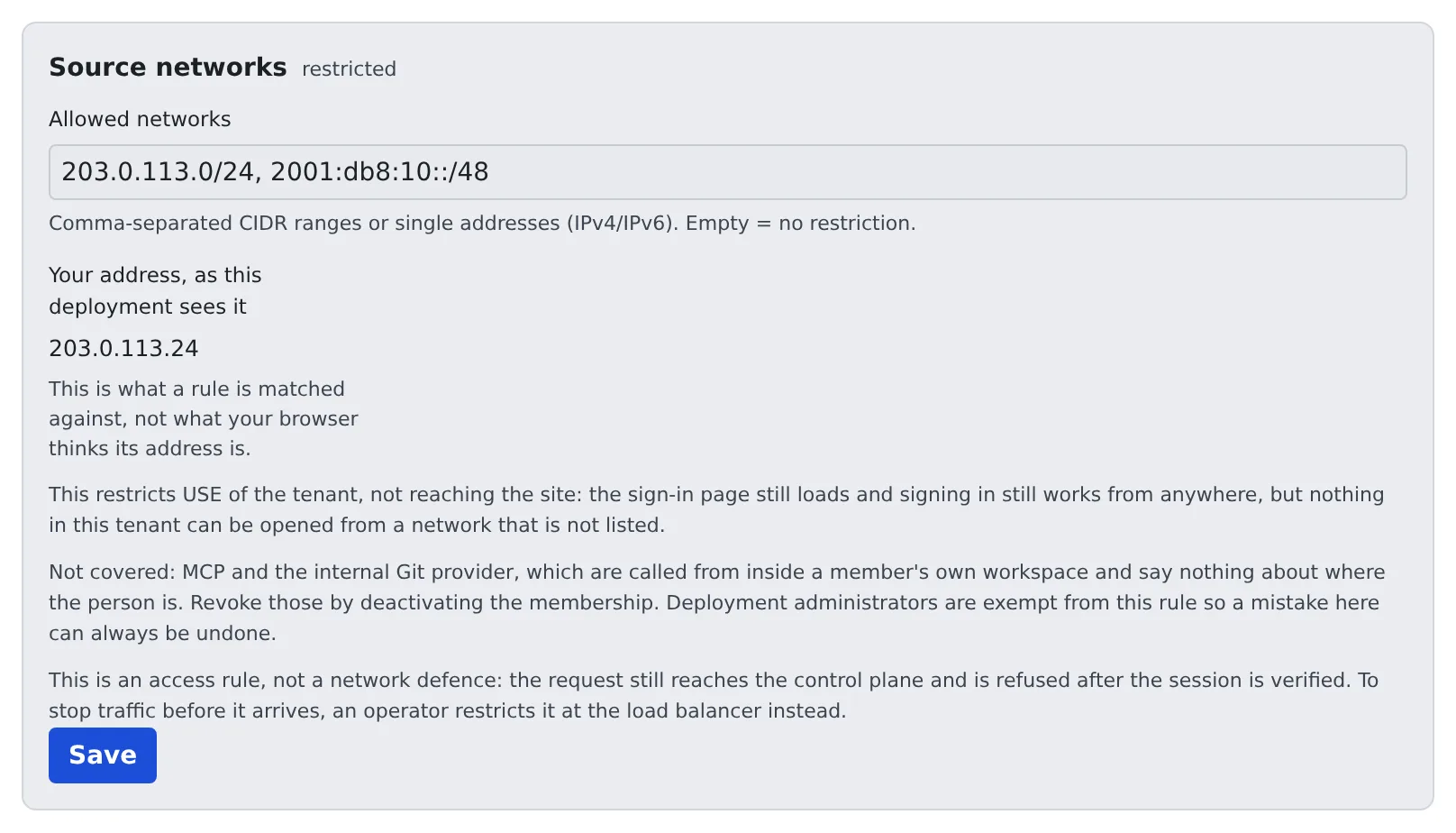
- Save with the field empty and the restriction is gone
- The value matched is the “Your address, as this deployment sees it” on the screen, not the address your browser believes it has
What it covers and what it does not
Section titled “What it covers and what it does not”| Covered | Not covered |
|---|---|
| Opening the tenant’s contents | MCP and the built-in Git |
- MCP and the built-in Git are called from inside the member’s own workspace, so they say nothing about where the person is. To stop them, remove the member (Remove a member)
- It applies to this tenant only. Someone who also belongs to another tenant reaches that one under its own rules
- This is an access restriction, not network defence: the request reaches the control plane and is refused after the session is checked. To stop requests before they arrive, have the deployment administrator narrow it at the load balancer
- MCP OAuth on the same screen is about outside apps connecting (MCP distribution and outside access)
When it goes wrong
Section titled “When it goes wrong”Your address reads “cannot be determined”
Section titled “Your address reads “cannot be determined””The control plane cannot tell where requests come from, so no rule can be applied.
Do not guess at a range; ask the deployment administrator to check the AF_TRUSTED_PROXY_HOPS setting.
It says a proxy is not declared, and you cannot save
Section titled “It says a proxy is not declared, and you cannot save”A proxy sits in front of the control plane but the deployment has not declared it. Every request then looks like it comes from the proxy, and a rule meant to narrow would let everyone in, so saving is blocked. Contact the deployment administrator.