
Connect Codex
Connect with a ChatGPT subscription or an OpenAI API key and sessions can run Codex. It runs in both Managed and Terminal (CLI).
How it works
Section titled “How it works”| What you do | What happens |
|---|---|
| Connect on the Codex card, with a ChatGPT subscription or an API key | codex appears among the kinds of a new session |
| Choose the behavior | codex sessions started afterwards use it |
| Re-authenticate when the sign-in expires | A stopped session can carry on where it stopped |
Connect
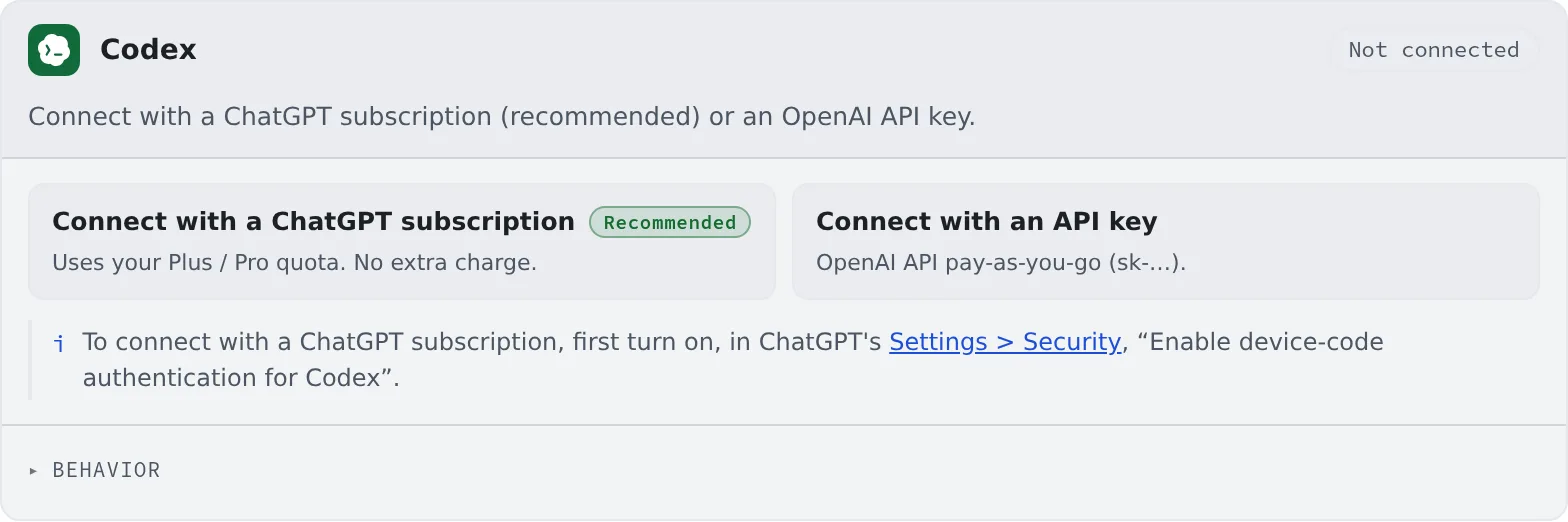
Section titled “Connect”Choose how to connect on the Codex card in ⚙Settings → Agents.
| Button | Billing | What you need |
|---|---|---|
| Connect with a ChatGPT subscription (recommended) | Uses your Plus / Pro allowance. No extra charge | Device-code authentication turned on in ChatGPT |
| Connect with an API key | OpenAI API, billed per use | An OpenAI API key (sk-…) |
Connect with a ChatGPT subscription
Section titled “Connect with a ChatGPT subscription”- First turn on “Enable device-code authentication for Codex” under ChatGPT’s “Settings > Security”
- Press “Connect with a ChatGPT subscription” on the card. A code and a link appear
- “Copy the code”, then “Open the link and paste”
- Approve in the browser, and the card turns “Connected”
A connected card shows the account’s email and plan.
Connect with an API key
Section titled “Connect with an API key”Press “Connect with an API key”, paste your OpenAI API key and connect.
Behavior
Section titled “Behavior”The card’s “Behavior” has, besides the items every agent shares, the following.
| Item | What it decides |
|---|---|
| Auto-resume after a usage limit resets | Whether a Managed codex turn stopped by a usage limit gets one “carry on” when the limit lifts. On by default |
| Model-switch nudge at usage limits | Whether Codex shows its suggestion to switch to a lighter model as a usage limit nears. On by default |
- Auto-resume is the same setting as the one on the Claude Code card. Terminal (CLI) codex is not covered
- With the nudge on, following it may switch you to a lighter model. Turn it off if you do not want the model to change
- RTK only asks for rtk through
AGENTS.md, best effort (Check prices and usage)
Good to know
Section titled “Good to know”- Managed codex keeps no process per session. It is a kind you can run many of without weighing the workspace down
- The remaining allowance shows in the usage chip on the WS bar (Check prices and usage)
When it goes wrong
Section titled “When it goes wrong”Approving gets me nowhere
Section titled “Approving gets me nowhere”Check that “Enable device-code authentication for Codex” is on under ChatGPT’s “Settings > Security”. While it is off, approving never finishes the connection.
The sign-in expired, and sending is refused
Section titled “The sign-in expired, and sending is refused”After a turn fails on an expired sign-in, sending is refused until you sign in again. Sign in again with “Re-authenticate” on the card. The details are in Fix an agent’s login or a missing model.