
Use lcpp
lcpp is the agent that runs models on the deployment’s own llama.cpp engine. It needs no vendor account, no sign-in and no install, and starts from the launch dialog like any other kind.
How it works
Section titled “How it works”| What you do | What happens |
|---|---|
| Pick “Launch llama.cpp” in the launch dialog | The session runs on the deployment’s engine. A stopped engine starts on the first turn |
| Enter a llama-server URL under “Your own connection” | Sessions connect straight to that server instead of the deployment’s engine |
| Turn “Use llama.cpp” off | lcpp can no longer be started |
Decide whether to use it
Section titled “Decide whether to use it”“Use llama.cpp” on the llama.cpp card in ⚙Settings → Agents is on / off for lcpp as a whole. It is on by default.
- Off removes it from the launch paths and refuses launches from any other route
- Sessions already running keep running when you turn it off
Connect to your own llama-server
Section titled “Connect to your own llama-server”To use a llama-server on your own network, enter it under “Your own connection”.
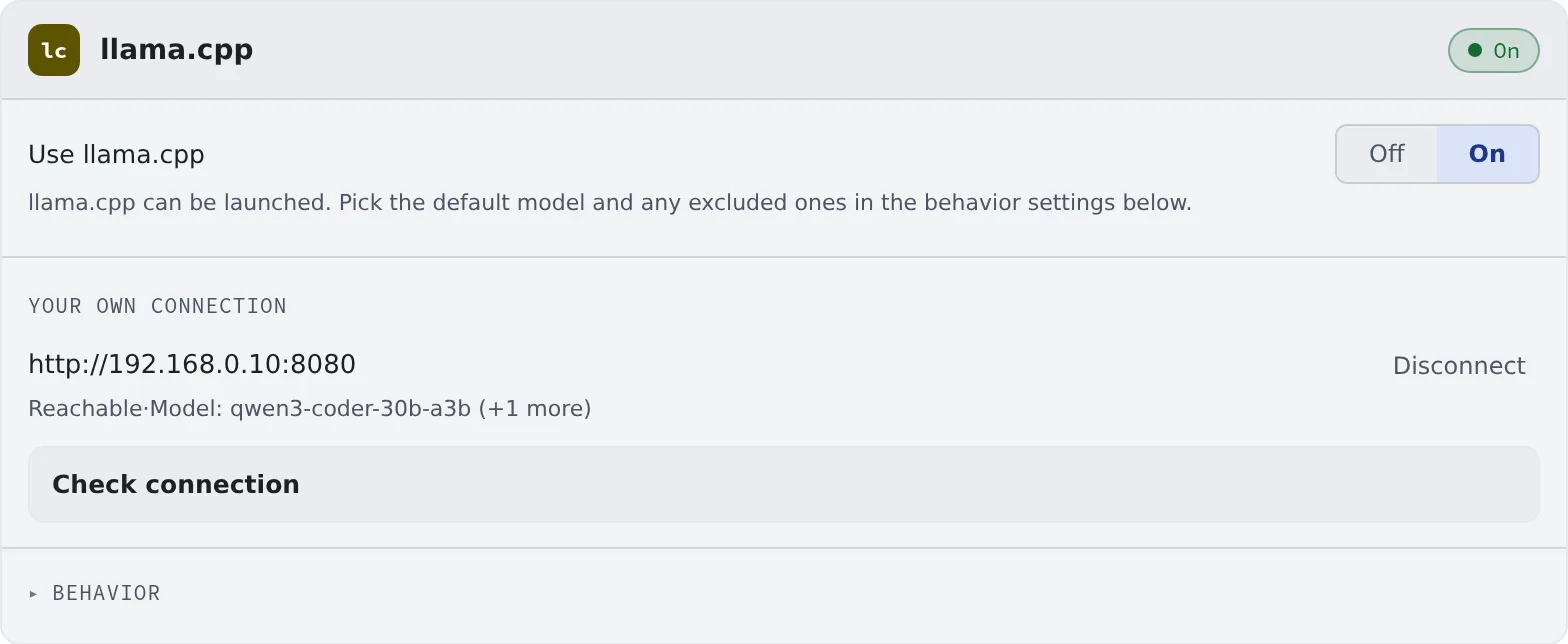
- Enter the URL (
http://192.168.0.10:8080, say) and, if needed, an API key - Press “Check connection”. The build, the window and the models appear
While it is set:
- The launch dialog’s model list is that server’s
- lcpp sessions connect straight to that server. They do not go through the Control Plane, so limits your tenant administrator set on engines do not apply
- The “Chat” pill at the top of the screen reports that server too: its state (Connected / Not reachable / Checking) and the model it found (Icons, badges and menus)
Clear the field to go back to the deployment’s engine.
Behavior
Section titled “Behavior”The card’s “Behavior” picks the default model, the models to exclude and so on (the items every agent shares). It has no RTK setting.
Before your first session
Section titled “Before your first session”Before your first session, read lcpp: what hardware measurement found. In short:
- With the engine instance stopped, the first turn takes minutes
- The context window has a lower bound worth choosing
- Only a few model families are confirmed to work
Good to know
Section titled “Good to know”- It runs as Managed only. It cannot start in Terminal (CLI)
- Your agent instructions are added to the system prompt every turn. Running sessions pick them up from the next turn (Write down how you work, once)
- MCP server tools are not loaded until needed. When their descriptions run past a few thousand characters, it finds and uses what it needs through three tools,
tool_search,tool_describeandtool_call, instead of sending them all every turn. That keeps a small context window free - The history shows the names of the tools actually called. lcpp’s own tools (read, edit, bash and so on) are always sent
- An administrator can pin either behaviour for the whole deployment
When it goes wrong
Section titled “When it goes wrong”The first turn does not come back
Section titled “The first turn does not come back”The engine instance is starting. Check its state on the “Chat” pill at the top of the screen. It can take a few minutes.
“Check failed” appears
Section titled ““Check failed” appears”Check the URL, the port and the API key. The server must be reachable from the workspace.