
Use read-aloud
Have session and assistant replies read aloud. Even with your eyes off the screen, you know what came back and what you are being asked.
How it works
Section titled “How it works”| What you do | What happens |
|---|---|
| Turn “Read aloud” on | A reply is read sentence by sentence as it arrives |
| Choose the voice and how it reads | The next sentence read uses it |
| Write entries in the reading dictionary | What you wrote is read the way you specified |
Start reading aloud
Section titled “Start reading aloud”Open ⚙ Settings → “Read aloud” and set “Read aloud” to “On”. It is off by default.
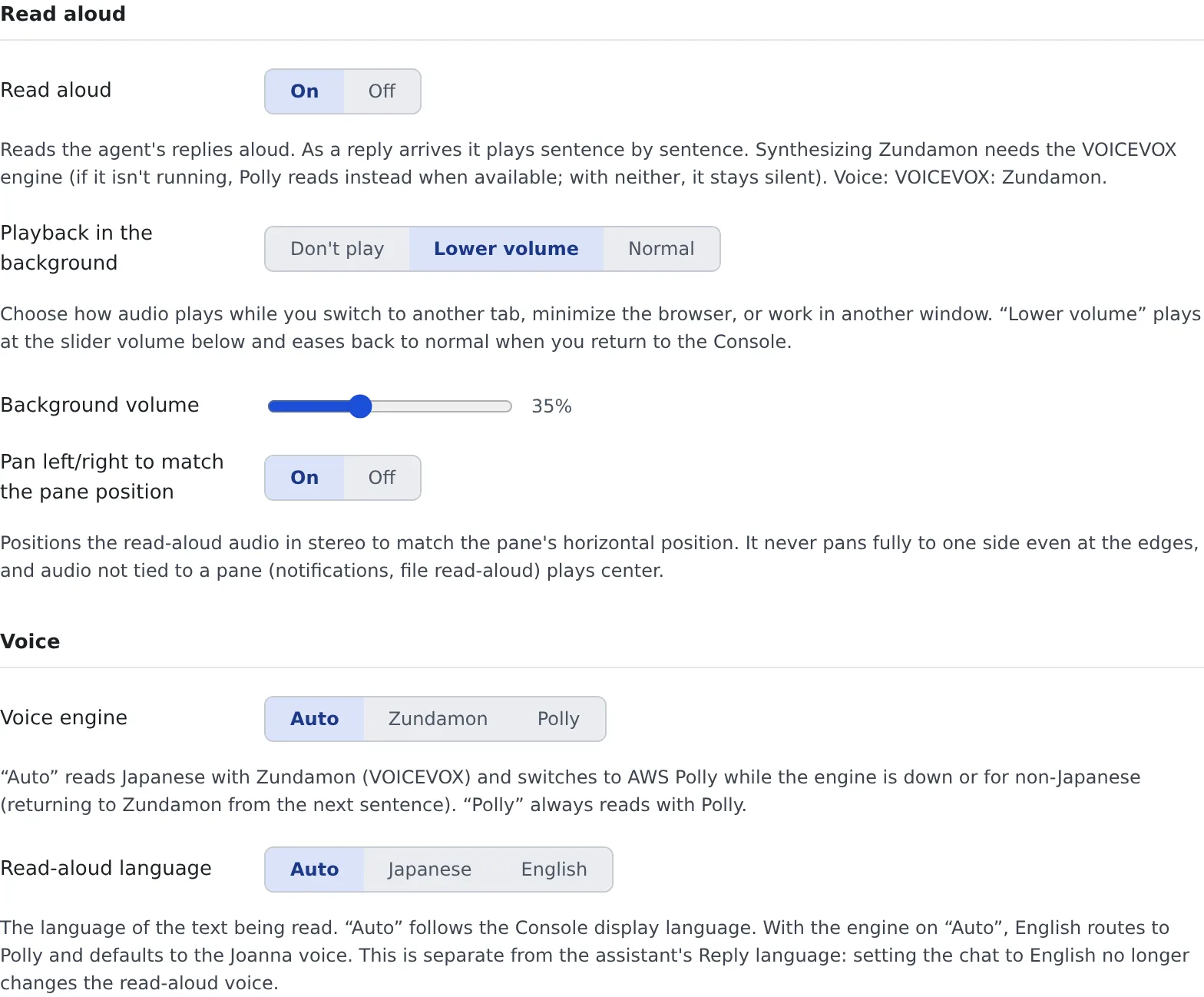
- On or off is a setting of this browser only. Everything else is saved on the server and is the same on another PC or browser
- When it is on, new replies in the active pane are read. Any reply can be heard at any time with the turn’s “Read aloud” button
- “Playback in the background” chooses what happens while you are in another tab: “Don’t play”, “Lower volume” (the default) or “Normal”
Choose the voice
Section titled “Choose the voice”Set these in the “Voice” group.
| Setting | What it decides |
|---|---|
| Voice engine | “Auto” (the default), “Zundamon” or “Polly”. “Auto” reads Japanese with Zundamon (VOICEVOX), and anything else, or anything while the engine is not running, with AWS Polly |
| Read-aloud language | “Auto” (follows the display language), “Japanese” or “English”. With the engine on “Auto”, English is read by Polly |
| Speaker (Zundamon), Speaker (Polly) | The voice for each engine |
| Use a different voice per session | Assigns a voice from the session’s name, so you can tell by ear which session a reply came from. On by default |
| Characters | The characters given to sessions, with each one’s style and speed. Press ▶ to preview |
| Vary emotion by content | Reads sentences about errors and failures, and sentences about success and completion, in different styles |
| Reading speed | “Slow”, “Normal”, “Fast” (the default) or “Faster” |
- The read-aloud language is a separate setting from the assistant’s “Reply language”. Setting only the chat’s replies to English does not change the voice
- On a deployment without a VOICEVOX engine, everything is read by Polly, and the Zundamon settings are not shown
- While the Zundamon engine is stopped, the tab says so and offers “Call Zundamon”. Called, it starts reading in about a minute; Polly reads until then
Choose when it reads
Section titled “Choose when it reads”Set these in the “Auto read-aloud” group.
| Setting | What it decides |
|---|---|
| Auto-read new replies | Reads a new reply that arrives in the active pane. On by default |
| Read the work-in-progress quietly | Also reads, quietly, what happens while tools run |
| Read across all open panes | Also reads new replies in panes other than the active one |
| Summarize long replies before reading | AI summarizes a reply of more than about 500 characters into two sentences and reads that. Needs the workspace running |
| Read confirmations/questions | Reads the question and its options when a question card, plan approval or permission request arrives |
Announcing sessions you are not watching is a separate setting (Get notified).
Tune how it reads
Section titled “Tune how it reads”Set these in the “How it reads” group.
| Setting | What it decides |
|---|---|
| Abbreviate code snippets when reading | Reads only the start of a snippet in backquotes and skips the rest |
| Pause after particles | Adds a short pause where a Japanese particle (を・は・で・に・と) is followed by a kanji |
| Read English in katakana | Reads English words as katakana English, in Zundamon’s voice |
| Reading dictionary | One entry per line, in the form written=reading. A line starting with # is a comment |
GPT-4=ジーピーティーフォー神=かみ- The reading dictionary is applied before the other reading rules. A tenant-wide dictionary set by an administrator applies too, and for the same written form your entry wins
- “Audio cache” under “Advanced” chooses how long audio already read is kept, so the same text plays again without waiting
Reset it
Section titled “Reset it”“Reset settings to initial state” at the bottom returns every read-aloud setting to its initial value. The reading dictionary is kept.
When it goes wrong
Section titled “When it goes wrong”“This deployment has no VOICEVOX engine” and nothing is read
Section titled ““This deployment has no VOICEVOX engine” and nothing is read”The voice engine is set to Zundamon, and the deployment has no VOICEVOX engine. Switch the voice engine to “Auto” or “Polly”.
Japanese is read in a Polly voice
Section titled “Japanese is read in a Polly voice”Polly reads while the Zundamon engine is not running. If the engine is stopped, press “Call Zundamon”. If the tab says “An administrator has switched Zundamon off”, Polly is the only voice.
Nothing is heard from another tab
Section titled “Nothing is heard from another tab”Check that “Playback in the background” is not set to “Don’t play”.
Related
Section titled “Related”- Get notified: announce sessions you are not watching by voice
- Change the display and your account