
Stop when done, or keep a session awake
You can have a session stop as soon as its work is finished, or, the other way round, keep a long job from being stopped while it runs.
How it works
Section titled “How it works”| What you do | What the agent does |
|---|---|
| Ask it to “stop when this is done” | Arms a stop, and stops once the current turn ends |
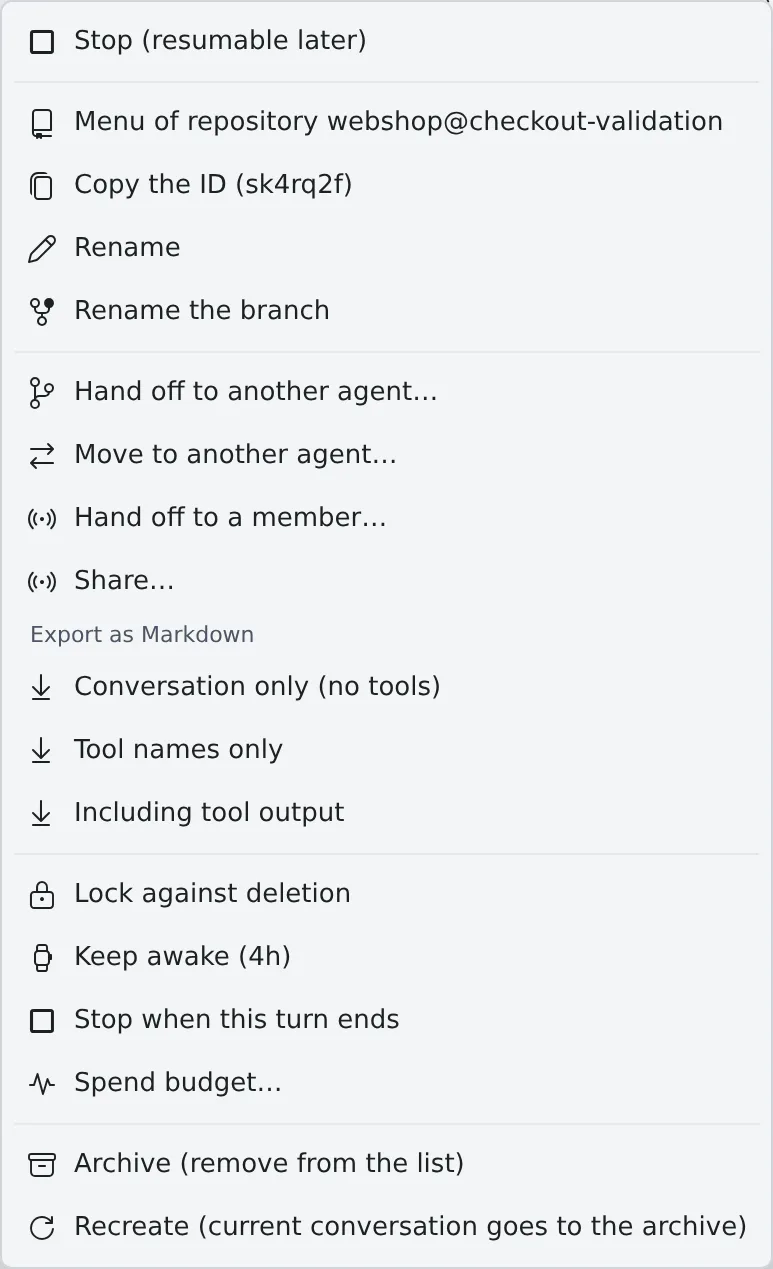
| Choose “Stop when this turn ends” in the ⋯ menu | The same stop is armed, and it stops once the current turn ends |
| Choose “Keep awake (4h)” in the ⋯ menu | For 4 hours, neither this session nor the workspace is stopped for being idle |
Either way, the stop is the resumable stop. The conversation stays, and you can resume it later from where it stopped.
Stop when it is done
Section titled “Stop when it is done”Use it when you leave a long job running overnight and want the session stopped once it has finished. There are two ways to ask, and both set the same thing.
- Ask the session: send “stop when this is done”. The session arms the stop itself
- Set it yourself: choose “Stop when this turn ends” in the ⋯ menu
Once armed, the row carries the badge “Stops when the running turn ends (resumable)”. You get one notification when it stops.
- The stop happens after the running turn ends. It will not stop while a question is waiting for you or while work is still going
- Sending a new instruction releases it. “Stop when you are done” was said about the work in front of it at the time
- To take it back, choose “Don’t stop after this turn” in the ⋯ menu. This also takes back a stop the session armed
- Only a running session can be armed
Keep a session awake
Section titled “Keep a session awake”An idle workspace stops on its own. Use this when something must not be stopped, such as a long build, or ssm work you leave running with the terminal closed.
- Choose “Keep awake (4h)” in the session row’s ⋯ menu
- The row shows “Exempt from idle-stop (… left)” with the time remaining
- Meanwhile, neither the session nor the workspace is stopped for being idle
- It lapses on its own after 4 hours. To end it sooner, choose “Stop keeping awake”
- The time limit is deliberate: an exemption set once and forgotten is how a workspace ends up running for a month