
Initialize Git Flow
Write the git-flow settings into a clone, and new branches for issues start from the development branch with git-flow’s prefixes.
The Console writes the same settings git flow init would.
How it works
Section titled “How it works”| What you do | What the agent does |
|---|---|
| Check the branches and prefixes in “Initialize Git Flow” and save | — |
| Start work from an issue | Works on a branch cut from the development branch, with a prefix such as feature/ |
git-flow keeps its settings in .git/config, which a clone does not copy. So even for a repository that runs git-flow,
the clone Agent Fleet made usually has no settings at all.
Initialize
Section titled “Initialize”- In the left pane’s Repositories, right-click the repository’s row
- Choose “Initialize Git Flow”
- Check the fields and press “Initialize”
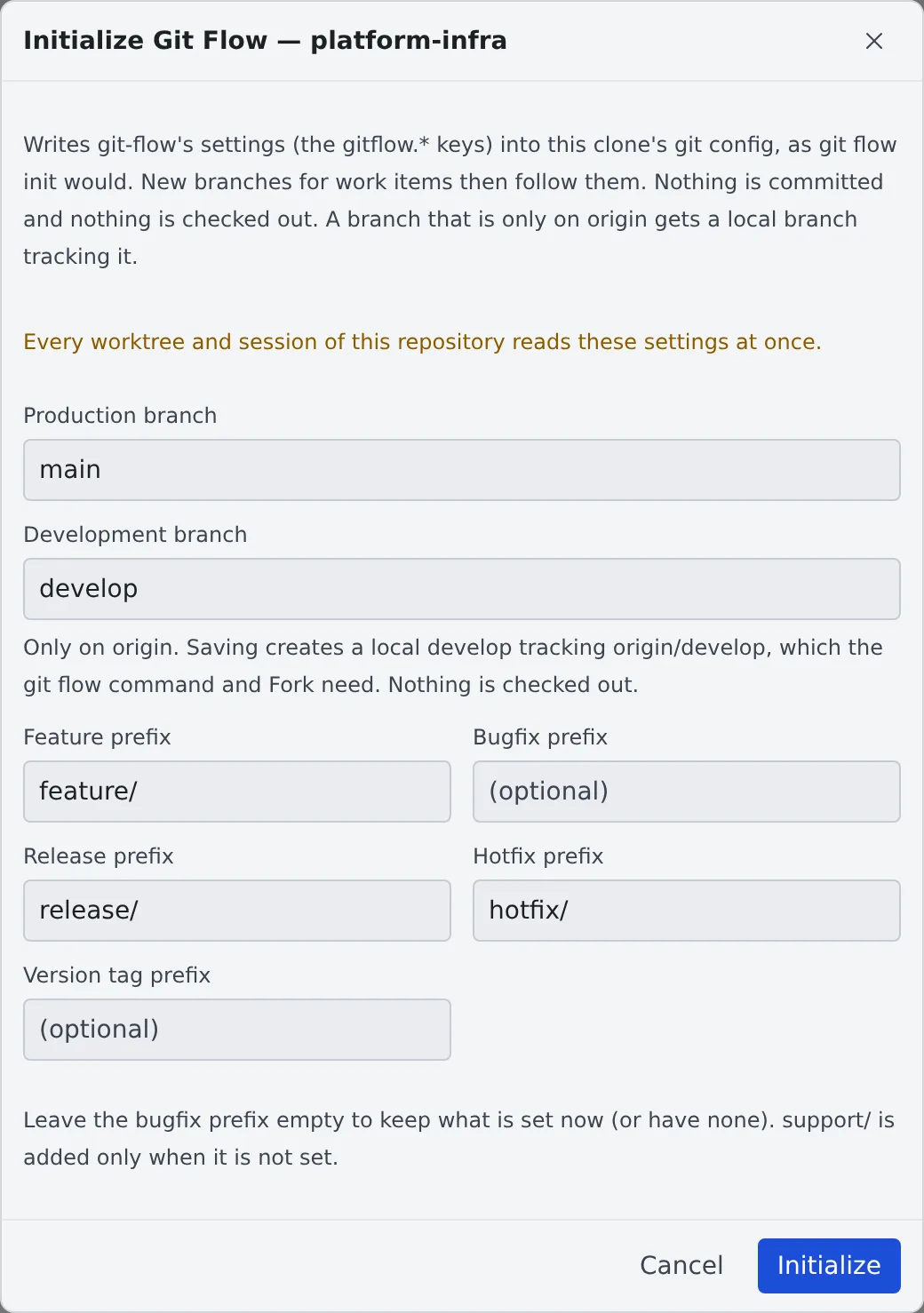
| Field | What to enter |
|---|---|
| Production branch, Development branch | main and develop, for example |
| Feature prefix, Release prefix, Hotfix prefix | feature/, for example |
| Version tag prefix | Optional |
| Bugfix prefix | Optional. Left empty, the current setting stays as it is |
- The fields start from the settings already there, the repository’s Bitbucket branching model (when it declares one), and which of
develop,mainandmasterexist - It writes
gitflow.branch.*andgitflow.prefix.*.support/is added only when it is not set - Nothing is committed and nothing is checked out
- The item is offered on the base working copy’s row only, not on a worktree’s
Before you write
Section titled “Before you write”- Every worktree and session of the repository reads these settings at once
- Settings that exist and would change are listed before you save, and the button reads “Overwrite”
- A committed
.agent-fleet/branchesor.gitflowtakes precedence over these settings where they overlap. The dialog says so too - If the clone has git-flow-next’s own settings (
gitflow.version), those take precedence
When a branch exists only on origin
Section titled “When a branch exists only on origin”The git flow command and Fork want the production and development branches locally. So saving creates a local
branch tracking the one on origin (the same as git branch --track develop origin/develop).
- The field shows an “Only on origin. …” note, and the message after saving names the branches it created
- Nothing is checked out
- A local branch that already exists is never moved, even when it differs from
origin’s
Offered when you start from an issue
Section titled “Offered when you start from an issue”When you start work from an issue in a repository whose origin has develop and that has no git-flow settings, the launch screen offers “Initialize Git Flow…”.
It never initializes on its own.
When it goes wrong
Section titled “When it goes wrong””… exists neither locally nor on origin. …”
Section titled “”… exists neither locally nor on origin. …””The production or development branch exists nowhere. Push or fetch it first.
“The settings changed while this dialog was open. …”
Section titled ““The settings changed while this dialog was open. …””Someone else, or a session, changed the settings. The dialog has reloaded them; check and save again.
”… was created but could not be set to track origin …”
Section titled “”… was created but could not be set to track origin …””Saving again will not fix it. Run the git branch --set-upstream-to=… command the dialog shows in the repository.
“Writing stopped part-way …”
Section titled ““Writing stopped part-way …””Save again and everything is written again.
Related
Section titled “Related”- Launch a session from a repository
- Connect an issue tracker: start work from issues